
Allow sharing PII to LTI Components#
The LTI component block has settings to share the user’s email or username with the LTI application. By default, these settings are disabled for privacy reasons. The settings may be enabled per-course by an administrator, using the Django admin console:
With a system administrator account, navigate to the django admin console, and find the “Course allow pii sharing in lti flags” item. Click the text on the left for the item to navigate to the page with the list of these flags. From this page, you can add, modify, or delete flags.

Click the button to add a new flag:

In the new flag form, enter the ID for the course you wish to enable this for, and ensure the “Enabled” field is checked.
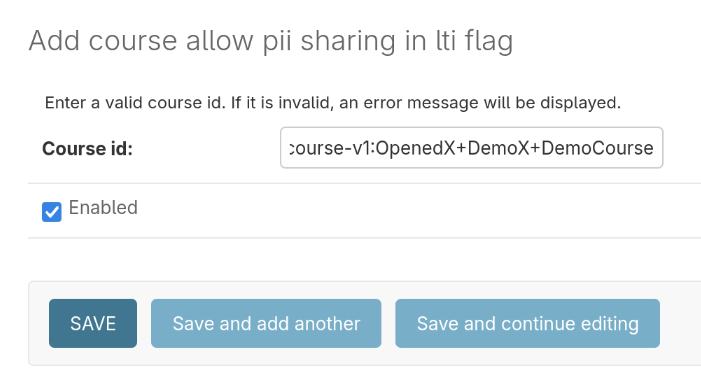
Finally, save the form.
See also
LTI Component Settings (reference)
Maintenance chart
Review Date |
Working Group Reviewer |
Release |
Test situation |