
Course Catalog Revamp#
In the Ulmo release, a new and improved Course Catalog is available. This new catalog experience features an updated, themable UI, better searching & sorting, and highly customizable Home, Catalog & Course About pages. Additionally, all pages are mobile-responsive, meaning they automatically resize based on the size of a viewer’s screen (laptop, tablet, or mobile phone).
Note
The new Course Catalog experience is not enabled by default. Site operators should refer to the installation instructions to turn this new experience on.
This new experience will be enabled by default in the Verawood release.
Visual Improvements#
All of the new pages are implemented within a new MFE, a collection of code that is built to modern standards, supports Open edX themability via Design Tokens (New Theming System), supports extensive customizability via over 20 plugin slots, and are mobile-responsive.
Course Home#
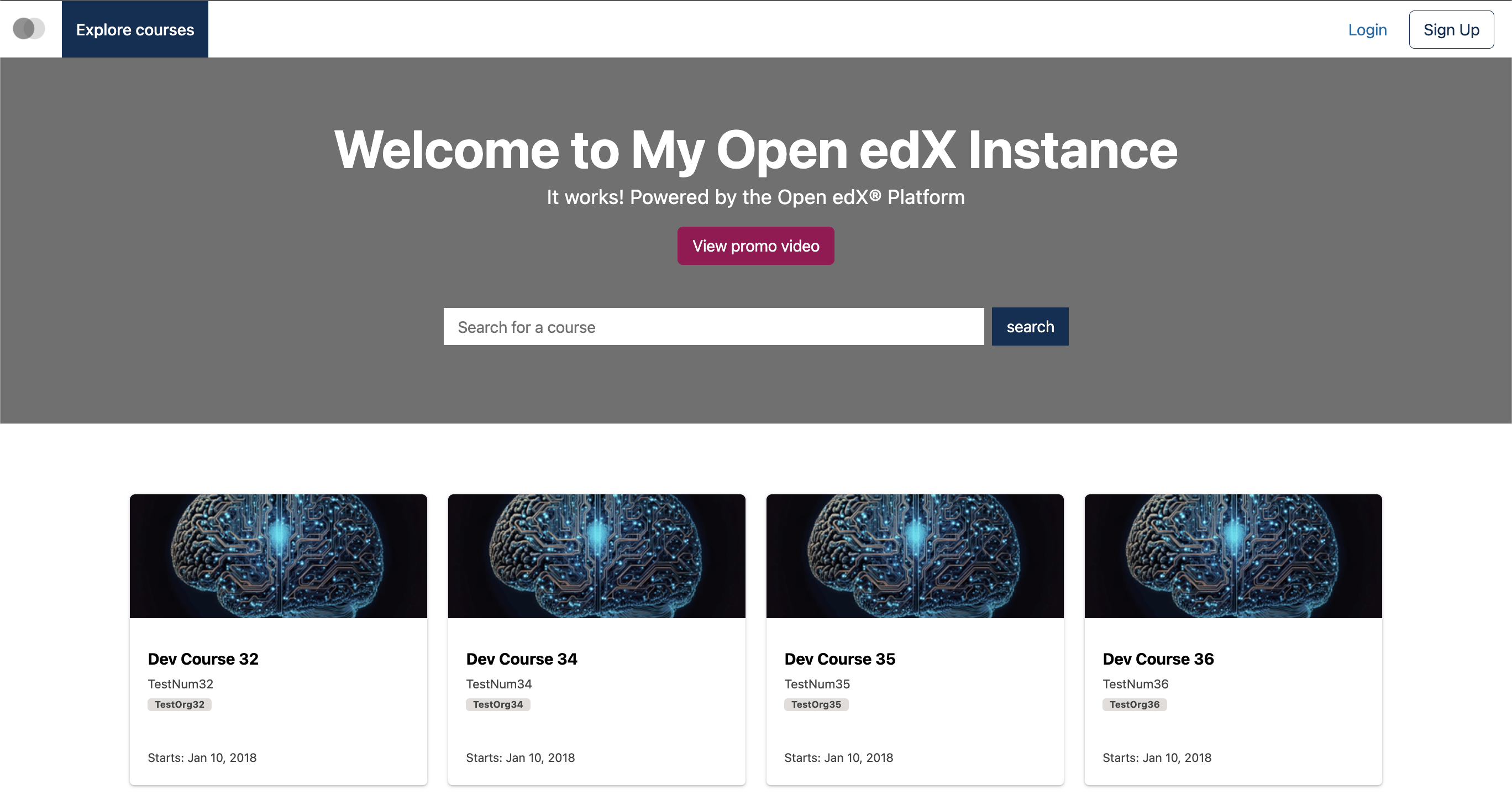
The new Course Home page features a logo, “Explore Courses”, and “Login”/”Signup” links in the header. The main banner is configurable and contains an option to display a promo video. Course “cards” are standardized and display information about the course: course title, number, organization, and start date.
Course Catalog#
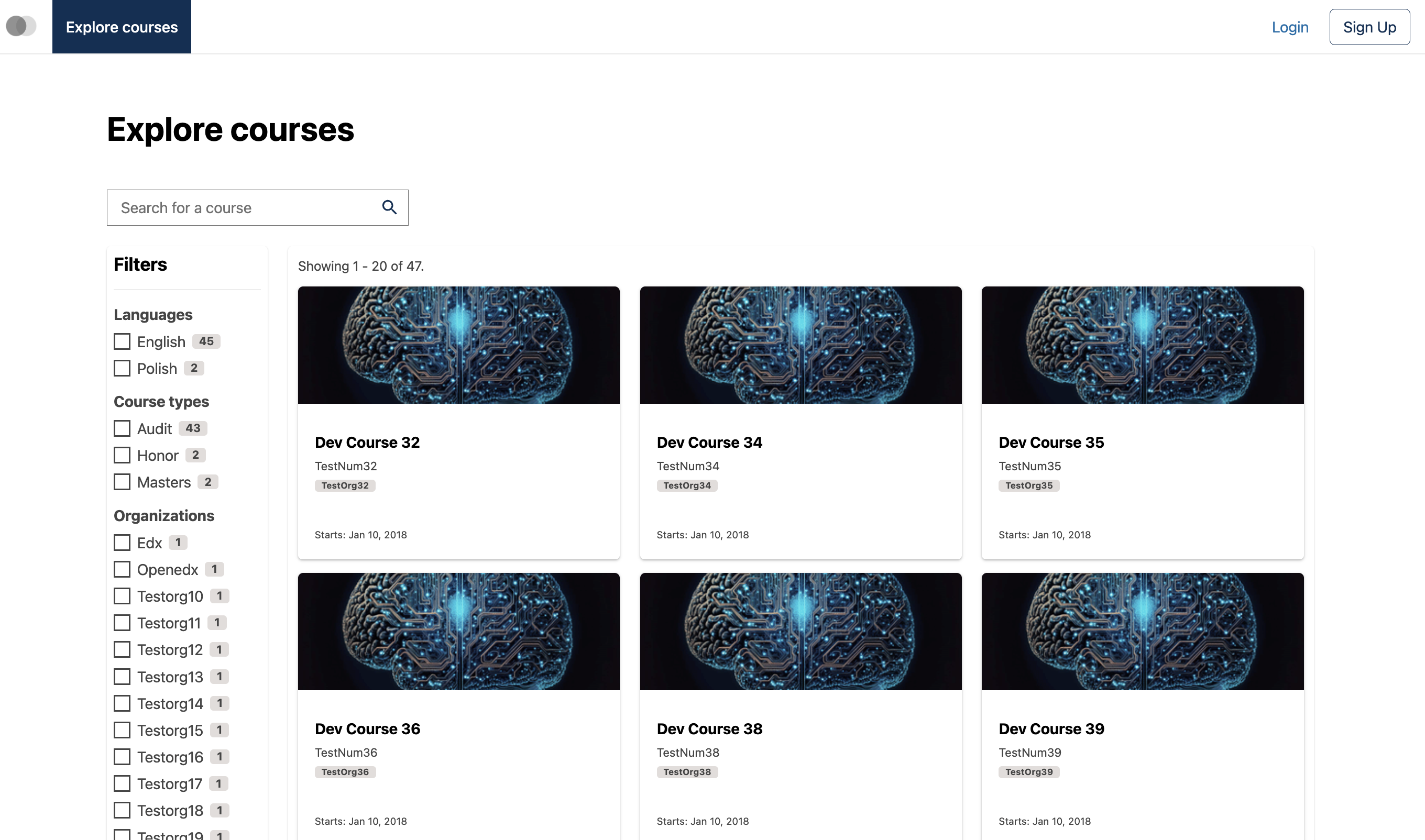
Clicking “Explore Courses” from the Course Home, or “Discover New” from the Learner Dashboard, brings users to the Course Catalog page.
This page features a default display of 20 course cards at a time, and a lefthand search bar featuring faceted search - that is, the ability to search by more than one filter at a time. Filters are available for the following attributes:
Course language
Course types (for example, Audit)
Organization offering the course
Course About Page#
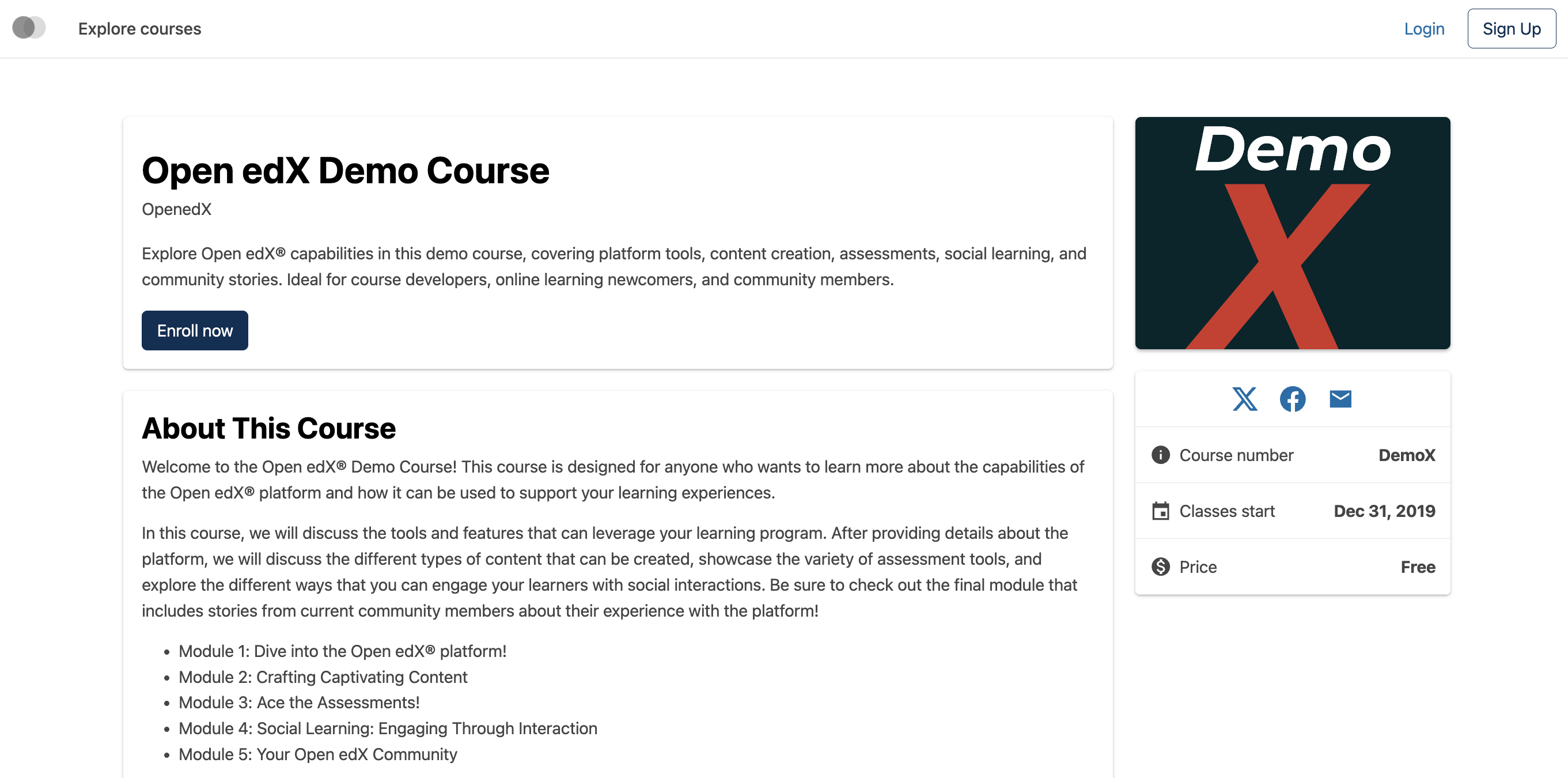
Clicking on a course card (either from Course Home or Course Catalog) brings users to the redesigned Course About page. The contents of the About page is populated from content authored in Studio.
The About page features a streamlined design, with the course name and course short description in the main upper left panel, the course long description in the main lower left panel, and an “At a glance” overview in the right panel, showing the course card full image, course number, start date, price (this can be configured to not display), and social media sharing icons.
Customizability#
The new Site Homepage, Course Catalog, and Course About pages have over 20 plugin slots which enable operators to extensively customize the look and feel of these pages. Use a plugin slot to…
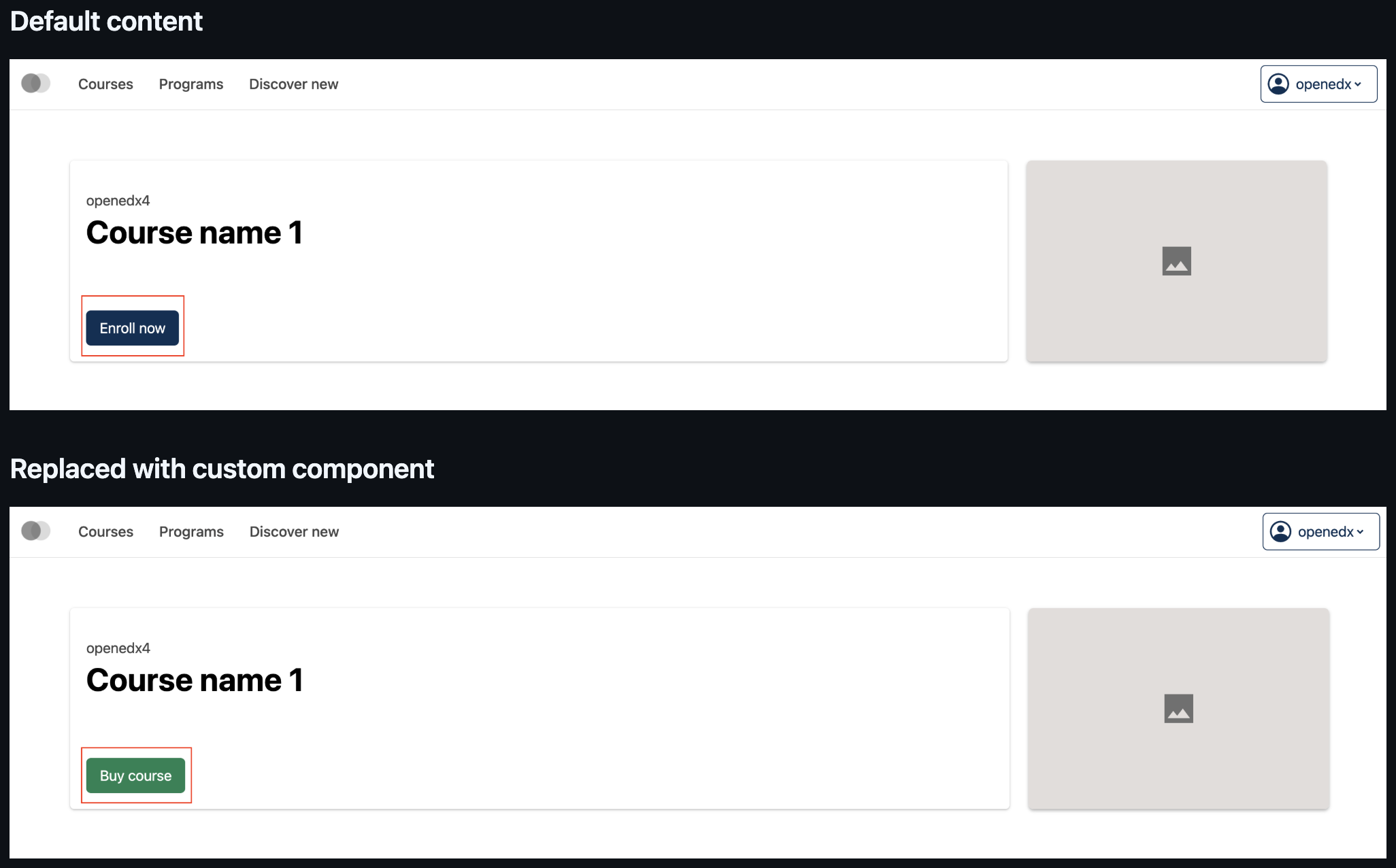
Replace, modify, or hide the “Enroll Now” button on Course About pages, useful for sites who wish the button text/color to be different.
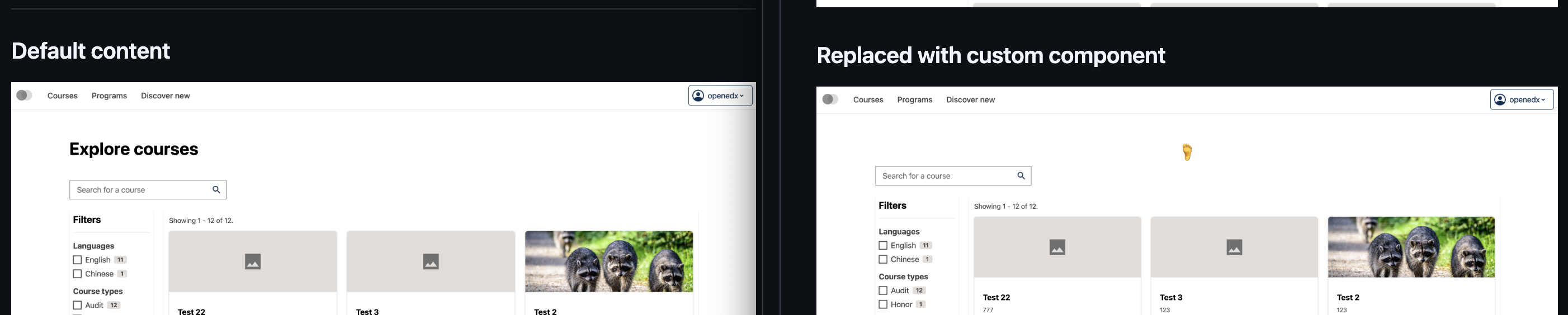
Replace, modify, or hide the section that currently displays the text “Explore Courses” on the Course Catalog page. This is useful for sites who wish to include any additional content before the course listings, such as custom text, images, icons, links, or videos.
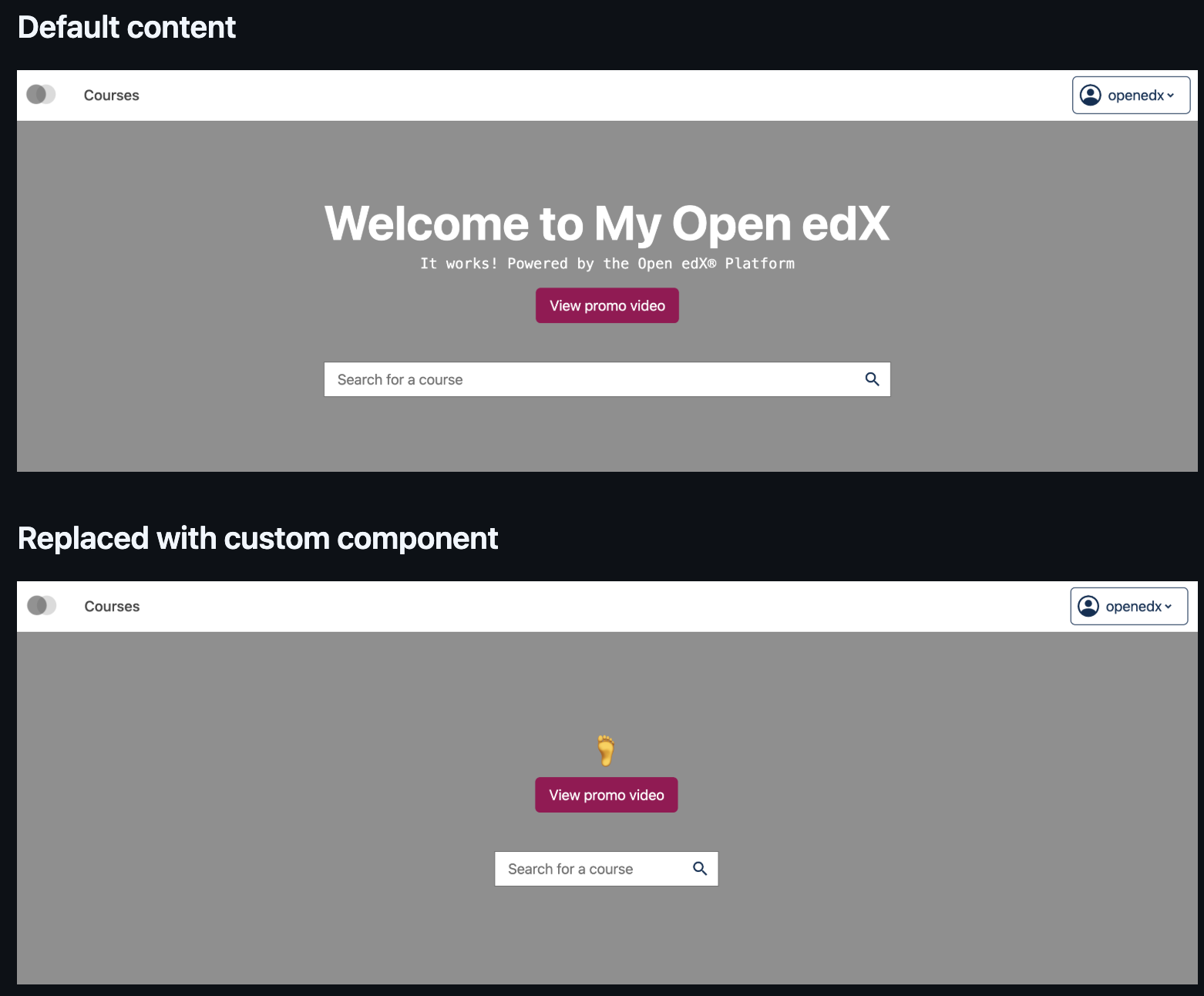
Replace, modify, or hide the default overlay text on Open edX instance hompages, enabling sites to easily change the default text (“Welcome to My Site/It works! Powered by the Open edX platform”) with any custom text, links, or videos.
And many more! For the full list, check out the New Frontend Plugin Slots for the Ulmo Release.
Ready To Try It Out?#
Site operators should see these instructions to install the new Course Catalog on their Ulmo instance.
Maintenance chart
Review Date |
Working Group Reviewer |
Release |
Test situation |
2025-12-18 |
Product WG |
Ulmo |
Pass |